My 2.5 days in San Francisco: MX 2010

View from top of Yerbe Buena Gardens, San Francisco, March 2010.
Saturday PM: Sunshine!
I actually began to sweat under my blazer from the warm sun shining brightly through the window.
I had arrived in San Francisco a little early on Saturday, dropped my suitcase off at the Intercontinental Hotel, and walked around the corner to a sandwich shop for a bite to eat and to get online. As I draped my coat over the back of the chair, I decided I really like San Francisco. It's the sun, I admit it. Oh, and I had already noted that the two billboards I noticed on the taxi from the airport were pure tech: one for an enterprise search system and another for PGP. Billboards talking to me? Amazing.
After settling in at the hotel, I had dinner with my old colleague Chris Burley and his girfriend at a nice Italian restaurant. Chris is awesome. I love talking with him because he has such passion for what he does, which currently is to help lead efforts like urban farming in the Bay area.
Sunday AM: 3 good things
The next morning I woke early due to the time zone difference, and I had three excellent experiences:
- In the aching fog of caffeine deprivation, had the best cup of coffee of my life, thanks to the Blue Bottle Café. (I admit, I ordered a second cup to go.)
- Paused in the Yerbe Buena Gardens where some elderly practiced tai chi and parents snapped photos as their little children hid behind a waterfall. I stood on a bridge and watched the morning sun ripple on the glass of San Francisco skyscrapers.
- Crashed a church service at a music venue called Mezzanine put on by a group that calls itself IKON. I was the oldest person there, amidst a crowd of art school students. We sang, we listened to a teaching from the Word, we had communion. It was good.
Sunday PM: MX day 1
Sunday afternoon saw the start of the 2010 MX Conference.
MX2010 is largely focused on managing user experience and less on the tactical end of UX practice, and there were some thought-provoking presentations from people who have been managing user experience for a number of years, in a number of different types of companies. Off the top of my head, presenters represented firms in financial industries (Vanguard), publishing (Harvard Business Review), retail sporting goods, and online media (Youtube).
The series of talks was fantastic, and was kicked off with a keynote by Jared Spool in which he shared insights like that Gallup's Customer Engagement (CE11) metric has high correlation to the quality of user experience. Spool's keynote actually turned out to predict some themes that carried throughout the many presentations. Among them were the importance of establishing a vision for user experience and that experience ultimately must be addressed well across multiple channels (web, mobile, physical space, etc.).
Spool talked about three core attributes necessary for great user experience: Vision, Feedback, and Culture. He posed three questions that UX managers should ask.
- VISION: Can everyone on the team describe the experience of using your design 5 years from now?
- FEEDBACK: In the last six weeks have you spent more than two hours watching someone use your design or a competitor's design?
- CULTURE: In the last six weeks have you rewarded a team member for creating a major design failure?
After the conference reception, I wound down the evening by taking a walk around a few blocks and ending at a nearby bar. I ate a burger and watched the Academy Awards for a while. Back at the hotel I watched the end of a Clint Eastwood Western flick and fell asleep.
Monday AM+PM: MX day 2
I woke at 4 in the morning. I checked analytics, email, and my usual RSS feeds. I stretched, washed, dressed, and still had time to kill. I read a few chapters in The Shack, a book Adam gave me last week.
I chatted throughout the day with Haakon, a usability specialist attending from the design company Tarantell in Norway, and as he sipped his coffee, I decided to not mention my mere three hour time difference.
The rest of the day was another series of excellent presentations. Themes: customer (more than user) experience, vision that guides the business, new models for working in the network, UX leadership stories from Youtube, customer experience in renovation of thinking at Harvard Business Review Online, understanding the holistic customer, data-driven design decisions (and when not to rely on data for design decisions), experience design as business strategy, and operating as a chief experience officer in your company.
It was great to hear first-hand the stories from these user experience leaders. Now, for what to do with it all when returning to the office.
Tomorrow and then
Tomorrow morning I fly back to Michigan, and need to get my head back into product owner and user experience work. But I also need to hold onto the ideas from this conference, and shift into actively leading user (or is that customer) experience work at Covenant Eyes.
How to write release notes
I confess, I'm a release notes reader, and I've read some overwrought release notes lately. When you use them like an installation guide, a features list, or a list of software conflicts, you've got it wrong.
The purpose of release notes is simple:
Release notes explain what changed with this version of your software. Period.
I hope this article will help you write release notes with clarity and brevity.
Title format for release notes
The title for your document should include specific information:
- Name of product
- Version number
For example, if your product is RubberDucky and this release is version 3.3.5, the title for your release notes document should be RubberDucky 3.3.5 Release Notes.
Make the title big and bold at the top of the page. Refer to it in links exactly as the title reads.
Consider following the title with these bits of information.
- One sentence overview of the product
- Date of the release
- System requirements
- Note changes, like "Discontinued support for Windows XP."
- Link to installation instructions
- Link to a user manual
- Link to a release notes archive
Other sections in release notes
Break the release notes document up into sections, each with its own heading. Here are some sections to consider.
- Additions
- Removals
- Changes
- Fixes
Keep the actual descriptions brief. Release notes are often little more than a bullet list of updates, and that's fine. If there are a series of small technical changes, try to describe them as a theme. For instance, "Improvements to the communication between the software and our servers."
However, if there is an update that is important for users to understand, do not sacrifice clarity for brevity. Write enough of a description to explain the feature, but no more than necessary.
How do you know if an explanation is too short or hard to understand? Ask someone who is familiar with the software but doesn't really know about the release to read the explanation and explain it to you in his or her own words.
What about personality?
Release notes should be easily scannable, and inserting witticisms should be avoided. However, if the company is proud of some feature, it doesn't hurt to brag about it, so long as it is brief.
Here's a nice example from TextWrangler 3.0 Release Notes.

BareBones Software inserting a little attitude into their release notes.
What about posting existing, known defects?
This question quickly becomes a philosophical one. In my opinion, a company should be transparent about known defects with their software and earnestly try to fix those problems. You can see this type of behavior with some open source projects in that they have a public defect tracking system. The bugs are out there for the world to see. With enough of a user-base, defects with your software will probably become known eventually anyway.
However, I do understand that in some cases advertising known-defects is a security and stability liability and just shouldn't be done. My preference is that that sort of decision is made on a defect-by-defect basis, and not as a corporate blanket statement.
Regardless, known defects or incompatibilities do not belong in your release notes document. You could, however, link to a list of them in your release notes.
Organizing archival release notes
What do you do with all those release notes from prior versions of your software? Archive them on your website so you and your customers can get to them.
One page, all release notes
If your release notes are brief, you might want to include each version on a single page. The most recent release notes should be at the top of the page. Fetch Softworks currently takes this single page for all notes approach.
One page of release notes per version
For the sake of clarity, I would prefer to have release notes for a specific version on that single page, with a release notes archive page that links to every version. BareBones Software takes this index of release notes approach.
Some companies keep a current release notes page up-to-date so they don't have to continue updating links. Again, BareBones follows this approach: http://bbedit.com/support/bbedit/current_notes.html
Do you have good (or bad) examples of release notes?
Not having seen any "best practice" document for release notes, I wrote this article. Do you agree? Disagree?
If you have examples of great, or really awful, release notes, please comment with the web addresses so we can all see them. Thanks.
Another pistol tournament, Flushing
Today I shot an 824-19X out of 900 at the match at the Flushing Rifle & Pistol Club. I definitely shot better than my last match, a 785 shot at Grand Rapids.
I'm still getting these crazy fliers that really sink the scores. Most of my fliers were high and right, although a few were off to the left.
Here are the targets.

The scores were 89 and 88 for slow fires. 86, 91, 94 for NMC. 96 and 91 for timed fire. 97 and 92 for rapid fire.
The slow fires were good scores for me, but the rest was too erratic. It's those fliers. I'm shooting too fast. Some of the timed and rapid fires I probably shot in 6 or 7 seconds. I forced myself to hold the gun up for the whole rapid fire string, even though I finished shooting. I could've fired another 2 or 3 shots.
For the next match, I intend to hold the slow fires about where they are, but shoot nothing lower than a 95 for the rest. I'll do that by slowing down so I can take each shot when it's ready, so as to do away with those fliers.
jQuery: Show password checkbox
I wrote version 1 of a jQuery plugin during the last couple of days. Read more about jquery.showPasswordCheckbox.js.
The basic functionality is to provide a checkbox on web forms to reveal the password text, so people can choose to view the password they are entering as they enter it.
Getting back into competitive pistol shooting
Finally, I competed in a real pistol match.
Throughout the 1990s I competed regularly, but in about the last ten years I've competed in only one sanctioned bullseye pistol tournament. That was about three years ago. Sure, I've shot in some pistol leagues here and there, but it's not quite the same.
This one was a couple weeks ago at the Grand Rapids Rifle and Pistol Club. The match was called well, the indoor range was in great shape, and it was a neat surprise that 9-time National Champion Brian Zins showed up to compete. That was cool.
At 785 of 900 possible, my own shooting was a bit of a, well, a debacle.
That's an 87.2 average, for a middle-of-the-road Sharpshooter score.
I still had a good time. I really like being on the firing line, and I've been more driven since that match. Next time, I'll be a bit more competitive.
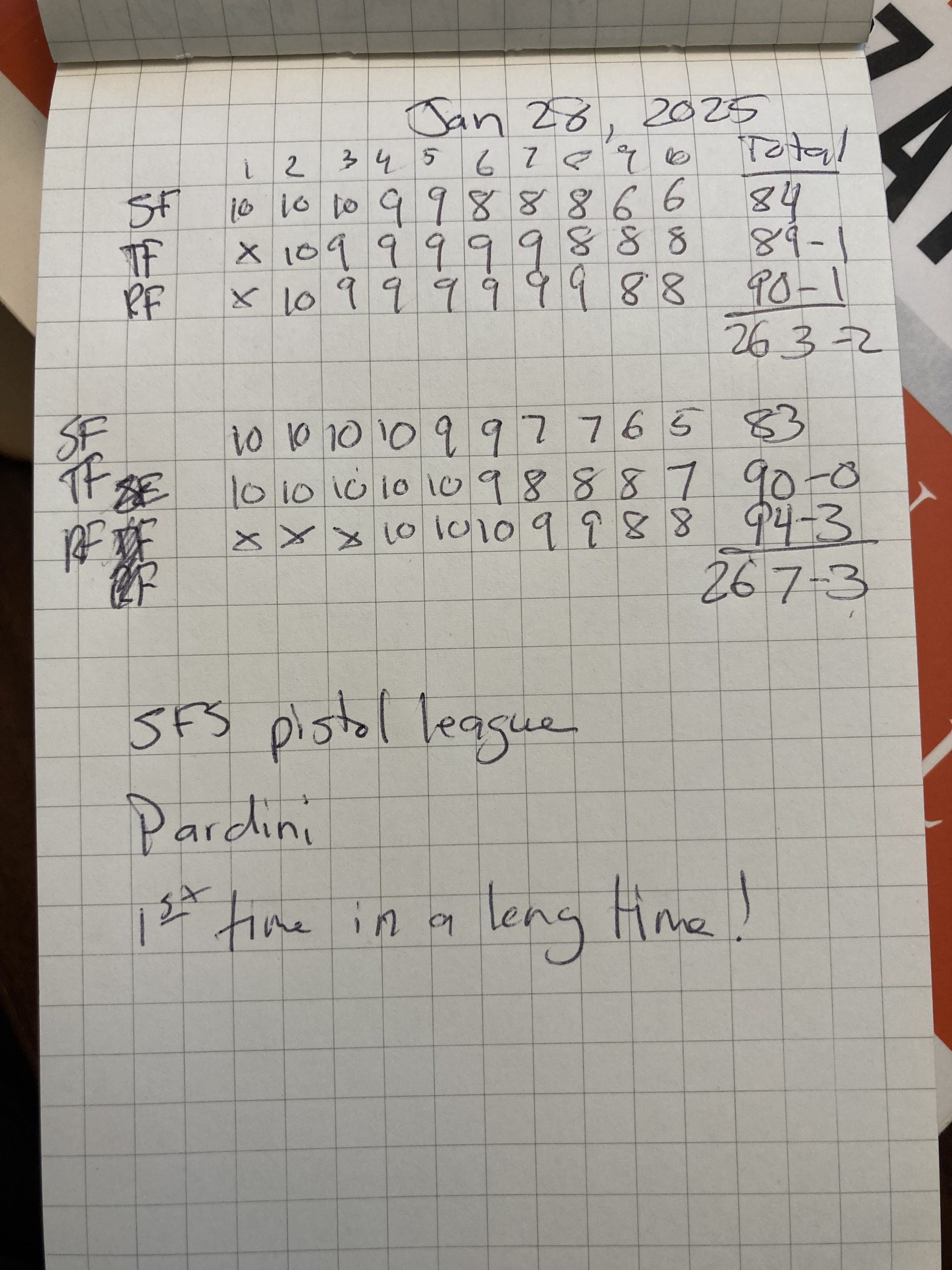
I've been dry-firing, and in a league shoot this past Tuesday, I broke out of a 4-week rut of scattered groups and fired a 284 in a 300-point National Gallery Course. That's a 94.67 average, which is an excellent match for me. I'd like to see that level of shooting become normal.
Argh! I’m pen-less!
Pen-less. It's 9:30 in the evening, and I need to write out some thoughts (about a split-complementary color set).
At work last Friday, the pen that I've had with me for some months now finally gave up its last ink. It was a Pilot Precise V5, black.
My habit has been to have that pen in my left front pants pocket, reliably at hand. I guarded it, making sure to have it back if I let a colleague or a daughter use it for a moment. I gave other pens like it away, but kept that one.
Of course I have other pens. Bic ball-point pens: the kind you get in bulk in the plastic bags during back-to-school sales. I hate those pens. They fail so often, and you have to drag the ink out of them, scraping across paper. Scribble in circles first just to get them warmed up. Lazy bastards. Then you have to draw across your strokes again, filling in ink on the empty indentations of your first pass at writing.
I'm irritated at myself for getting into this pen-less position. Luckily, I have Plan B: pencils and a sharpener.
Nephtali web framework creator talks FP
Adam Richardson of Envision Internet Consulting has been a long-time collaborator and good friend of mine, and over the last few years I've seen him pursue knowledge in web programming with persistence that I've never seen from anyone else.
One of Adam's projects is Nephtali: a web framework that focuses on security and considers the usability of the framework itself. Adam has labored over details in his latest version of Nephtali that will make life better for developers. For instance, he planned the naming convention and namespaces for functions so that in an IDE like NetBeans, the functions appear grouped logically in an easy-to-access format.
Nephtali is up to version 3.0.5 at the time of this writing, and the earlier versions were completely Object Oriented PHP. In version 3, Adam re-thought Nephtali away from the OOP base and rewrote it utilizing FP, Functional Programming.
For the last month or so, Adam has been lobbying various hosts to upgrade to PHP 5.3 or higher, because Nephtali requires at least that version. It is right on the cutting edge. I asked Adam a few questions about Nephtali, and that dialogue follows.
Davin: Nephtali requires the latest version of PHP, version 5.3 or higher, but many hosting providers don't provide that yet. What about PHP 5.3 is worth waiting for?
Adam: PHP 5.3 includes many enhancements and bug fixes, but the features that facilitated Nephtali's general approach and architecture were support for namespaces and the new Functional Programming (FP) capabilities.
Davin: I'm familiar with object oriented programming, but you're talking about "functional programming." Can you summarize the difference, and explain why you decided to go with FP instead of OOP with Nephtali?
Adam: Most programming languages offer the ability to define functions, however that doesn't necessarily make them functional programming languages. It's easy to to get into flame wars over what a "true" functional language is, but I'll lay out some general principles:
- Functions can be passed around just like other datatypes.
- Closures allow variables that are in scope when a function is declared to be accessed and carried around within the function.
- Side effects (changing the value of a variable within a function) are limited.
- Many FP languages natively support currying (the ability to define a subset of a functions arguments and then allow other functions to finish defining the others.)
PHP now supports the first 2, and with some discipline, you can limit the impact of side-effects within your code (there are even some clever hacks for the currying issue.) But the big question is, "What does this buy you?"
Simplicity.
Object Oriented Programming (OOP) bundles variables with the functions (methods) that directly interact with the variables. This does provide a degree of encapsulation, as the accessor methods make sure that instance and class variables contain what is expected. However, the issue often isn't "What" a variable is changed to, but rather "When" a variable is changed. This problem of "When" is most glaring for OOP developers when implementing parallel processing, an issue that has produced many complex, clunky answers.
Taking an FP approach simplifies the question of "When", as you move from a paradigm of altering variables to one of acting on values returned from functions. Relatively speaking when following general FP conventions, writing unit tests is simple, writing parallel processing apps is simple (see Scala, Clojure, Erlang, etc.), and as it turns out, writing a capable web framework is simple, too.
Davin: What about models? So many of us in the web field have become familiar with the MVC (model, view, controller) architecture in frameworks, and it seems like Nephtali doesn't use the models concept at all. Is that right, and if so, what do you do about databases?
Adam: Simplicity.
In terms of DB interaction, I like PHP's PDO capabilities and security. Performing simple DB work is easy in Nephtali, as you can generate code very quickly using the Nedit, the online code generator for Nephtali. Nephtali provides some simple enhancements (functions that automatically table inserts, updates, and deletes; easy connection management; etc.), but you're always working close enough to the basic PDO capabilities that it's still very easy to perform transactions, connect to multiple DB's, work with existing tables that don't follow particular naming conventions, and whatever else your unique environment may entail. One line of code is all it takes to grab a set of rows from a DB.
Second, utilizing the parallel processing capabilities of CURL, Nephtali provides some special capabilities for web requests. A couple lines of code can retrieve a web request (in parallel with any other web requests) and format the retrieved data into whatever container (object or array) you'd like.
Davin: I saw the post on the Nephtali blog about Nephtali's parallel processing for web requests. Can you explain when that would be useful, and when I should not run ahead and parallel process everything?
Adam: If you have a page that only makes use of one web service, you don't gain anything. However, if you have a page like Nephtali's homepage, which makes a request to Google Code for the latest download and also makes a request to the Wordpress blog for recent entries, you can gain a significant performance improvement by processing those requests in parallel. Instead of ending up with serial calls to the two services (GoogleCodeRequestTime + WordpressRequestTime), the parallel request now equals the greater of the two requests (GoogleCodeRequestTime -OR- WordpressRequestTime.)
Nephtali handles the processing for you automatically. Always use the request() and response() functions, and Nephtali will make things faster when they can be faster. That's it.
More about Nephtali
Learn more about Nephtali at nephtaliproject.com. When you're there, check out the screencasts on using Nephtali. One of the great features on that site is NEdit, a tool that you can use to write up a lot of the code you'll need for Nephtali pages.
Oh, and don't hesitate to use the contact form. Adam loves talking with people about Nephtali, and I'm sure he'll happily answer questions or respond to comments about the framework.
How WordPress falters as a CMS: Multiple content fields
WordPress is amazing and keeps getting better, but I want to be clear about an inherent limitation that WordPress has as a content management system (CMS). That limitation is that WordPress doesn't handle multiple content regions on web pages.
Too strong? With WordPress, you can try to use custom fields or innovative hacks like Bill Erickson's approach to multiple content areas using H4 elements in his excellent theme "Thesis". Unfortunately, neither of those approaches really deals with the depth of the design problem that often requires multiple content areas for pages.
As an information architect/user experience designer, I've been involved in many projects that required more types of content on any single screen than WordPress is designed to handle.
Let me draw out what I'm talking about here.
Exhibit A: Page content that WordPress is designed to handle
In a standard WordPress page or post, you'll see these author-controlled pieces of content.
- Post/page Title
- Body
- Excerpt (often not-used)

Standard WordPress content fields include the title, excerpt, and body.
There are other sets of data for a page or post that an author can control, too, but these are meta-data such as tags, categories, slug (shows up in the URL), and possibly search engine optimization information like title, description, and keywords.
For a normal blog, many online trade journals, and a lot of basic websites, this really covers the bases. The body contains the bulk of the content including images, video, and audio that can be intermingled with the text itself. This model is very flexible, and it has definitely proven itself.
Exhibit B: Page content that pushes WordPress too far
In 2009, there was a small project at work to develop the website Covenant Musicians, and because the person who would keep the site updated was already using WordPress, we made the decision to build this site with WordPress too.
Well, if you look at one of the destination pages for this site, the musician profile page (here's one for example), you'll notice some different pieces of content which may or may not be present on any particular musician profile page. When they are present, they need to be in certain places and sometimes with certain content.

This custom WordPress page uses fields in addition to the standard options: Musician Image, URL, and Video.
The problem is, to control those extra pieces of content: the video, the band image, the link to the band's website, the site owner needs to use WordPress's custom fields in very precise ways, without the benefit of WordPress's content editing tools. What a drag!
To make life easier for the site owner, we ended up recording screencast instructions on how to use these fields and delivered those help files with the site itself. (We used Jing by Techsmith, by the way.)
It would've been better had the interface been clear enough so that we didn't feel the need to document the process of updating these destination pages, but that's the trouble with stretching WordPress beyond its default content fields.
Ask too much of WordPress and ease-of-use is the casualty
Do you see the difference? When an effective design solution requires multiple types of content per page, using WordPress will actually make your website difficult to manage. WordPress is usually so easy to use that when you hit this wall, it is very apparent.
When you're at that point, WordPress is probably not the right CMS to choose.
Should WordPress improve in this area?
Whether through the core application or through an excellent plug-in (is there one already that I missed?), if WordPress is going to grow in the content management systems field, this shortfall will need to be addressed.
However, WordPress is really excellent at what it does already, and the better course might be to decide to keep the features in check and let other systems compete in the mid-to-enterprise scale CMS arena. Scope creep never stops, and a good application strategy knows when to say "no."
Am I wrong?
Am I off-base here? This is just one aspect of WordPress that should limit its use. Another that should cause designers to think twice is when dealing with faceted-navigation which requires more than one dimension (tags can probably handle one dimension). But, again, those are more complex design requirements.
I'm not a WordPress consultant, and I'll bet some of you would like to point to the errors in my thinking. Let's hear it.